

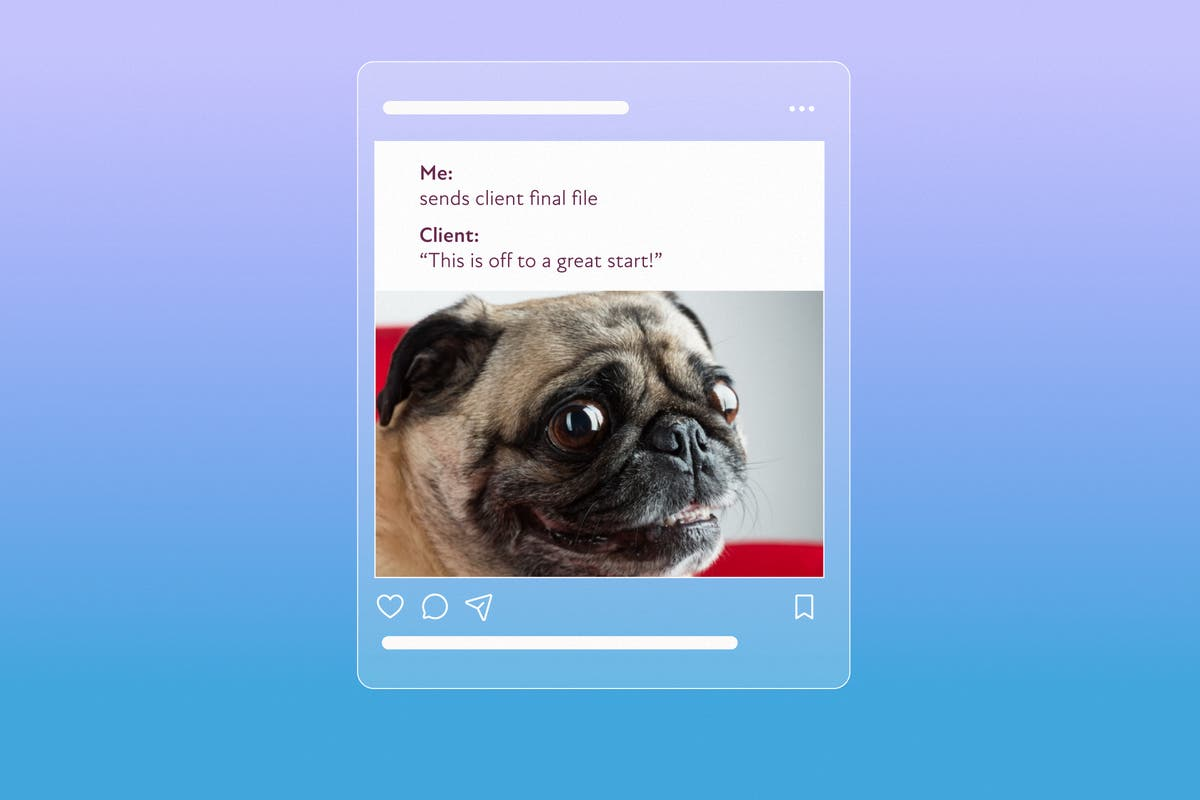
Memes have become one of the internet’s most recognizable forms of communication. They make people laugh, simplify complex ideas, and encourage conversations across social media platforms. From global brands to individual creators, everyone is using memes to connect with audiences in a way that feels authentic and entertaining.
The popularity of memes isn’t slowing down. Businesses use them to increase engagement, influencers rely on them to grow their communities, and educators even use them to make learning more enjoyable. Because memes are quick to consume and easy to share, they often receive significantly higher interaction than standard text posts.
The good news is that you can effortlessly create your own meme using Adobe Express, even if you’ve never designed graphics before. With customizable templates, simple editing tools, and plenty of creative flexibility, it’s easier than ever to produce eye-catching content that fits your personal style or brand.
Why Memes Continue to Domey Social Media
People scroll through hundreds of posts every day, so grabbing attention quickly is essential. Memes work because they combine visuals with short, relatable captions that communicate an idea almost instantly.
Marketing research consistently shows that entertaining content generates higher engagement than purely promotional posts. Memes encourage users to comment, tag friends, and share content, helping brands and creators reach larger audiences organically.
When used appropriately, memes can also make a business feel more approachable and human.
Start with a Strong Idea
Every successful meme begins with a concept.
Ask yourself:
- What message do I want to communicate?
- Is there a current trend I can adapt?
- Will my audience immediately understand the joke?
- Does this match my brand’s personality?
The clearer your idea, the easier it becomes to create a meme that people enjoy sharing.
Choose the Right Template
Adobe Express offers a wide variety of professionally designed templates that help you get started quickly.
Instead of beginning with a blank canvas, you can customize an existing layout by changing:
- Images
- Fonts
- Colors
- Text placement
- Backgrounds
Templates save time while still giving you complete creative control.
Write Short, Impactful Captions
One of the biggest mistakes people make is adding too much text.
The best memes deliver their message in just a few words. Keep your captions concise, readable, and relevant to the accompanying image.
When writing captions:
- Use everyday language.
- Avoid overly complicated jokes.
- Make sure the humor feels natural.
- Read everything aloud before publishing.
If your audience understands the joke within seconds, you’ve done your job well.
Customize Your Design
While templates provide a great starting point, personalization helps your meme stand out.
Consider adding:
- Your brand colors
- A subtle logo
- Custom illustrations
- Unique fonts
- Original photos
Small adjustments can make your content feel more recognizable without distracting from the humor.
Optimize for Different Platforms
Each social media platform displays content differently.
For example:
- Square designs work well on Instagram.
- Landscape layouts are ideal for X and Facebook.
- Vertical formats perform better in Stories and short-form video platforms.
Adobe Express makes resizing designs simple, allowing you to adapt one meme for multiple channels without rebuilding it from scratch.
Keep Up with Internet Trends
Timing matters.
A meme based on a popular trend is far more likely to generate engagement than one referencing outdated topics.
Spend time observing:
- Trending hashtags
- Viral challenges
- Popular TV shows
- Sporting events
- Seasonal holidays
However, always add your own perspective rather than copying someone else’s work directly.
Review Before Publishing
Take a few moments to review your meme carefully.
Check for:
- Spelling mistakes
- Readability on mobile devices
- Proper image quality
- Balanced spacing
- Consistent branding
These final checks can significantly improve the overall quality of your content.
Create Memes Faster with Adobe Express
Adobe Express combines powerful editing tools with an intuitive interface, making meme creation accessible for beginners and experienced creators alike. You can upload your own images, browse professionally designed templates, customize every visual element, and export high-quality graphics within minutes.
Whether you’re promoting a business, building a personal brand, or simply sharing humorous content with friends, Adobe Express streamlines the creative process while giving you the flexibility to produce designs that feel unique and polished.
Final Thoughts
Memes remain one of the most effective ways to connect with online audiences because they communicate ideas quickly, encourage interaction, and add personality to your content. With Adobe Express, you don’t need advanced design skills to create graphics that look professional and capture attention.
By starting with a strong concept, choosing the right template, writing concise captions, and tailoring your design for each platform, you can consistently produce memes that entertain your audience and support your broader content strategy. Over time, experimenting with different formats and analyzing audience responses will help you discover what resonates most, allowing every new meme to become even more engaging than the last.