


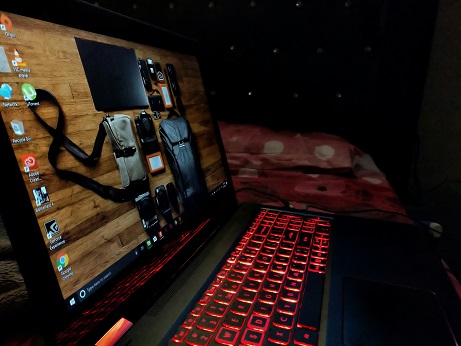
Introduction to Budget Laptops for Freelancers
In today’s fast-paced digital world, freelancers rely heavily on portable computing power to execute their tasks efficiently. A reliable laptop is essential for a freelancer, as it serves as the primary tool for creating content, managing projects, communicating with clients, and maintaining productivity while on the go. However, many freelancers face unique challenges, such as fluctuating income and limited budgets, prompting the need for budget-friendly options that still deliver reliable performance.
Budget laptops can effectively meet the essential requirements of freelancers without breaking the bank. These machines provide the necessary processor speed, memory capacity, and battery life to handle various freelance tasks, whether it be graphic design, writing, or web development. With the right budget laptop, freelancers can enjoy a balance of affordability and acceptable performance, allowing them to invest their limited resources wisely.
Furthermore, budget options often come equipped with basic yet sufficient features such as decent displays, respectable storage options, and connectivity that enable seamless communication and collaboration. While high-end laptops may offer superior specifications, budget laptops can effectively cater to the average freelancer’s needs—delivering the performance required without unnecessary costs.
Choosing the right laptop can also enhance a freelancer’s ability to work flexibly across different environments, whether at home, in a café, or while traveling. The right laptop is not merely an investment in technology but a crucial decision that impacts a freelancer’s overall productivity and success. In the following sections, we will explore various budget laptops available on the market, focusing on their specifications, features, and suitability for freelancers looking to maximize their efficiency without overspending.
Key Features to Look for in a Budget Laptop
When selecting a budget laptop, freelancers must prioritize essential features that can significantly impact their productivity and overall user experience. One of the most critical components is the processing power. Look for laptops equipped with modern processors, such as Intel Core i3 or AMD Ryzen 3, which provide sufficient speed and performance for routine tasks like word processing, data entry, and web browsing.
Another vital element is the amount of RAM. A minimum of 8GB is recommended for smooth multitasking. This will enable freelancers to work on several applications simultaneously without experiencing sluggishness. When it comes to storage options, solid-state drives (SSDs) are preferable over traditional hard drives, as they offer faster boot times and better overall performance. Aim for at least 256GB of SSD storage to accommodate your files and applications while ensuring efficient operation.
Display quality can often be overlooked, but it is essential for any freelancer who spends long hours on their laptop. A laptop with a full HD (1920 x 1080) resolution will provide clearer visuals and reduce eye strain. Also, consider the display size; a 13 to 15-inch screen is generally a good balance between portability and usability.
Battery life is another crucial aspect to evaluate in a budget laptop. A device that can last at least 6 to 8 hours on a single charge provides the flexibility needed for freelancers who may work in various locations. Lastly, portability should not be forgotten; a lightweight laptop makes it easy to transport, ensuring you can work comfortably from different settings, whether that’s a coffee shop or your local library.
Top Budget Laptops for Freelancers
Finding the right laptop can significantly influence a freelancer’s productivity, especially when working within a budget. Below is a curated list of some of the best budget laptops catered to freelancers, detailing specifications, price range, and ideal use cases.
Acer Aspire 5
The Acer Aspire 5 is an excellent choice for freelancers seeking a balance between performance and price. Featuring an AMD Ryzen 5 processor, 8GB RAM, and a 256GB SSD, this laptop can efficiently handle multitasking and basic graphic design tasks. The price is typically around $599, making it well within budget for many freelancers. It is suitable for professionals engaged in writing, project management, and casual graphic design due to its lightweight design and durable build.
Lenovo IdeaPad 3
With a price range starting from $499, the Lenovo IdeaPad 3 provides a strong value for freelancers. It offers Intel’s latest processors, up to 16GB of RAM, and a 512GB SSD. This laptop is particularly beneficial for remote work requiring video conferencing and content creation. The IdeaPad 3’s comfortable keyboard and decent battery life make it a reliable choice for those frequently on the go.
HP Pavilion 15
Typically available for around $600, the HP Pavilion 15 is another viable option for freelancers. It boasts an Intel Core i5 processor, 8GB RAM, and a 512GB SSD, ensuring that it can handle demanding applications efficiently. The Pavilion series is suitable for freelancers involved in software development and content creation, thanks to its robust performance and vibrant display.
Dell Inspiron 15 3000
The Dell Inspiron 15 3000, offered at a price of approximately $550, provides a reliable computing experience for freelancers. Featuring an Intel Pentium processor with 8GB RAM and a 256GB SSD, it is ideal for general tasks such as writing, email communication, and online research. Its sturdy design is perfect for traveling professionals.
These options highlight some of the best budget laptops available right now, allowing freelancers to find a device that meets their unique needs without breaking the bank.
Comparison of Budget Laptops: Pros and Cons
When assessing budget laptops suitable for freelancers, it is essential to weigh both the advantages and disadvantages of each device. This evaluation allows freelancers to make informed decisions that best meet their specific needs. Below is a comparison of some of the top budget laptops currently available on the market.
1. Acer Aspire 5The Acer Aspire 5 is well-regarded for its blend of performance and affordability. It features a full HD display, sufficient battery life, and a comfortable keyboard. However, one downside is its slightly heavier weight, which may not be ideal for freelancers who often travel.
Pros: Excellent performance for the price, good battery life, and pleasant keyboard experience.
Cons: Heavier than some competitor models; limited storage options.
2. Lenovo IdeaPad 3The Lenovo IdeaPad 3 prioritizes value with its solid performance and reliability. Its design is compact, making it a great travel companion. On the downside, the display may not be as vibrant compared to other budget models, which could affect visual tasks.
Pros: Affordable, lightweight design, and dependable performance.
Cons: Display quality might be lacking; fewer premium features than some alternatives.
3. HP Pavilion x360The HP Pavilion x360 is appealing for freelancers who need versatility, as it offers a 2-in-1 design that allows for tablet use. This flexibility can aid productivity in various work environments. However, the trade-off includes reduced processing power for demanding tasks.
Pros: Versatile 2-in-1 functionality, decent performance for everyday tasks.
Cons: Limited performance for resource-intensive applications; shorter battery life in tablet mode.
In evaluating these options, freelancers should consider what features align most closely with their workflows. Each laptop has strengths and weaknesses that cater to varying professional needs, ensuring that budget-conscious choices do not compromise on essential functionalities.
User Reviews and Experiences
When considering the best laptops for freelancers on a budget, real user reviews present valuable insights into the performance and reliability of various models. Users across different freelancing fields have shared their experiences regarding productivity, usability, and overall satisfaction with their budget laptops.
Many freelancers praise lightweight laptops for their portability, which allows for seamless transition between remote workspaces, coffee shops, and client meetings. A frequent mention among satisfied users is the Dell Inspiron 15, which combines solid performance with an entry-level price. Freelancers in graphic design praise the laptop for its decent processing power and vibrant display that supports design software. Additionally, users highlight its battery life, which typically lasts through multiple work sessions without the need for constant recharging.
Other reviews spotlight the Acer Aspire 5 for its impressive specifications that often outshine similarly priced competitors. Freelancers who engage in writing, coding, and basic video editing have found that this laptop meets their needs without exceeding their budget. Users commend the keyboard’s comfort, which enhances their typing experience during lengthy projects. This factor can significantly impact productivity, especially in freelance work that demands extensive writing or coding.
Conversely, some users recommend caution with lower-end models that may compromise speed and reliability. Instances of laptops slowing down during multitasking or suffering from overheating issues have been noted. Ultimately, users advise prospective buyers to prioritize laptops that cater to their specific freelance needs while considering longevity and user reviews.
The experiences of actual users underline the importance of thorough research when selecting budget laptops for freelancing. Their feedback can guide potential buyers in making informed decisions that enhance their working efficiency and satisfaction.
Tips for Optimizing Your Budget Laptop for Freelancing
For freelancers operating on a budget, maximizing the performance of their laptops is essential for maintaining productivity and efficiency. With a few strategic optimizations, it is possible to enhance the capabilities of a budget laptop significantly.
First, it is advisable to regularly perform system updates. Keeping your operating system and software current not only enhances security but also ensures that your laptop operates with the latest features and improvements. Additionally, consider uninstalling unnecessary applications and bloatware that consume valuable system resources, thus freeing up memory and processing power for your essential software.
Customizing your laptop settings can also yield substantial improvements. Reducing visual effects, adjusting power settings to optimize performance, and managing startup programs can lead to a faster and more streamlined user experience. For example, configuring your laptop to run in a high-performance mode can significantly boost productivity during intensive tasks.
Furthermore, installing essential software that caters to your freelance needs can enhance functionality. Tools such as cloud storage services facilitate file management and collaboration with clients while keeping your documents accessible from anywhere. Additionally, productivity applications, such as task managers or note-taking software, can help maintain organization and efficiency.
Lastly, consider upgrading your laptop’s hardware components modestly if possible. Adding more RAM or switching to a solid-state drive (SSD) can dramatically improve overall performance. This investment, although it requires some upfront cost, can lead to long-term benefits for a freelancer’s workflow.
By implementing these optimization strategies, freelancers can significantly enhance their budget laptops, making them more capable of meeting the demands of their work without incurring further expenses.
Maintaining Your Budget Laptop
For freelancers who rely on budget laptops, regular maintenance is essential to ensure longevity and optimal performance. By adhering to a few simple practices, you can extend the lifespan of your device while keeping it running smoothly for all your freelance projects.
First and foremost, routine care is crucial. This involves managing dust accumulation, which can cause overheating and slow performance. Gently clean the keyboard and screen with appropriate cleaning materials. Dust off the vents using compressed air, ensuring that air can flow freely for effective cooling.
Software maintenance is equally important. Keeping your operating system and software updated is vital for security and efficiency. Regular software updates often introduce fixes for known bugs and optimized features, enhancing your laptop’s performance. Enable automatic updates where possible to minimize the hassle of manual checks.
You should also monitor the storage capacity of your budget laptop. Freelancers often save numerous files for various projects, leading to potential storage issues. Regularly delete unnecessary files and consider cloud storage options for archiving purposes, which can help preserve your device’s speed and responsiveness.
Battery life is another key aspect of maintaining your laptop. Avoid overcharging, and periodically let the battery discharge to around 20% before recharging. Utilizing power-saving modes and dimming the screen brightness can help conserve battery life, making it ideal for freelancers on the go.
Consider investing in a protective case or sleeve, which can safeguard your budget laptop during travel, preventing physical damage. Moreover, implementing a backup strategy using external hard drives or cloud services will ensure that your data remains safe in case of hardware failure.
In conclusion, consistent upkeep of your budget laptop can significantly impact its performance and longevity. By following these maintenance tips, freelancers can assure themselves reliable service from their devices as they work towards achieving professional success.
Future Trends in Budget Laptops
The landscape of budget laptops is evolving continually, driven by advancements in technology and market demands. As more users, particularly freelancers, seek reliable yet affordable computing solutions, manufacturers are innovating to create cost-effective models without compromising performance. This shift is apparent in several aspects, including hardware capabilities, design improvements, and software enhancements.
One prominent trend is the adoption of ARM-based processors. Previously dominated by x86 architectures, budget laptops are increasingly integrating ARM chips, which promise better energy efficiency and performance at lower costs. This shift allows for thinner, lighter designs with longer battery life, making these devices more appealing to freelancers who value portability and uptime. The growing efficiency of ARM processors may also lead to cost reductions in production, ultimately lowering prices for consumers.
Additionally, vendors are focusing on incorporating solid-state drives (SSDs) into budget models. Previously considered a premium feature, SSDs are now becoming standard even in lower-cost laptops. This change significantly improves system performance, providing faster boot times and quicker access to applications. As this technology becomes more standardized, budget laptops can offer performance levels that were previously reserved for higher-end models.
Another important consideration is the evolution of display technology. With the rise of full HD and even 4K displays, budget laptops are beginning to feature superior screen quality. This improvement is particularly valuable for freelancers who require precise color accuracy and resolution for tasks such as graphic design or video editing. Enhanced display technologies not only improve user experience but also provide increased value for users seeking economical solutions.
Furthermore, as cloud computing continues to gain traction, the reliance on robust hardware may diminish. Budget laptops with less powerful specs could still effectively run resource-heavy applications through cloud solutions. This trend could alleviate the financial burden on freelancers, allowing greater access to sophisticated tools without the need for expensive hardware. Overall, these trends indicate a promising future for budget laptops, with opportunities for improved functionality and affordability arriving in tandem.
Conclusion and Final Recommendations
Throughout this article, we have explored various aspects of selecting the best laptops for freelancers on a budget. The key points included the importance of identifying one’s specific needs, whether it be for graphic design, programming, or simple administrative tasks. We highlighted several features that are particularly pertinent to freelancers, such as processor speed, RAM capacity, battery life, and weight. Each of these factors plays a critical role in ensuring productivity and efficiency in daily tasks.
Additionally, we examined a range of budget-friendly laptop options available in the market, which cater to a variety of use cases and personal preferences. From lightweight models to those with enhanced graphics capabilities, our recommendations cover a broad spectrum to suit different professional requirements. It is essential to weigh the performance versus cost ratio while making a decision, ensuring that you are getting the best value for your investment.
Ultimately, when choosing a laptop, freelancers should consider their primary work activities and the specifications that support them. Invest in a device that not only fits your financial constraints but also aids in improving workflow efficiency, enabling you to deliver your best work without technical hindrance. Prioritize durability and support options to ensure long-term functionality.
In conclusion, selecting the right laptop as a freelancer on a budget requires careful consideration and analysis of both needs and market offerings. By following the insights shared in this article, you can make an informed decision that aligns with your specific career demands and personal preferences. Happy computing!