


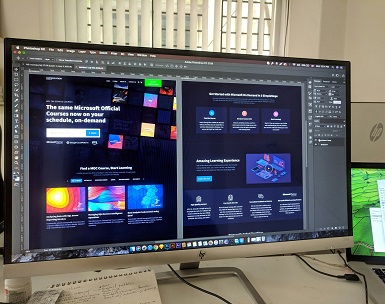
Graphic design software plays a crucial role for individuals venturing into the design field, especially for beginners who are eager to develop their skills. The primary purpose of these tools is to facilitate the creation of visually appealing content across various mediums. From crafting engaging social media posts to designing marketing materials and personal projects, the right graphic design software allows users to express their creativity effectively.
The importance of graphic design software cannot be overstated, as it serves as a bridge for novices to translate their creative ideas into tangible visuals. Many software options cater to a spectrum of needs, whether users seek to design infographics, logos, posters, or digital art. Furthermore, these applications often come equipped with user-friendly interfaces and various tutorials, making them accessible to those just starting out in graphic design.
When considering options, it becomes vital to discern between free and paid graphic design software. Free software, often offering a robust set of features, presents an ideal starting point for beginners. These platforms significantly lower the barrier to entry, allowing users to explore graphic design without the financial commitment that paid software usually entails. Although paid programs may offer more advanced capabilities and professional tools, free alternatives can provide sufficient functionality and flexibility to meet the needs of budding designers.
In conclusion, selecting the right graphic design software is essential for beginners looking to make their mark in the design world. Through the utilization of such tools, individuals can hone their skills and gain valuable experience that will serve them well in their creative endeavors.
Top Free Graphic Design Software Options
Choosing the appropriate graphic design software is vital for both novices and those looking to refine their skills. Numerous free options cater to distinct needs and skill levels. Below are some of the standout graphic design software options available for PC users.
1. GIMP
GIMP, or GNU Image Manipulation Program, is a robust free alternative to Photoshop. This software offers extensive features such as customizable brushes, advanced layering, and support for various file formats. With a vibrant community, users have access to tutorials and plugins, making it an ideal choice for hobbyists and budding professionals seeking serious design capabilities.
2. Inkscape
Inkscape excels in creating vector graphics and is often suggested for those focused on logo design, illustrations, and typography. It offers powerful tools such as path editing, freehand drawing, and object manipulation. It’s particularly suitable for students and emerging designers looking to create scalable graphics.
3. Canva
Canva is known for its user-friendly interface and is optimal for individuals with little to no graphic design experience. With thousands of customizable templates, it allows users to create everything from social media graphics to presentations easily. Ideal for hobbyists and small business owners, Canva simplifies the design process.
4. Gravit Designer
Gravit Designer is a full-featured vector design application suitable for web and print design. It provides a clean interface and a variety of design functions, including multi-page support and advanced alignment tools. This software is tailored for budding professionals and those who want to create intricate designs without overwhelming complexity.
5. vectr
Vectr is a straightforward, web-based vector graphics editor that caters to users just beginning their design journey. It offers essential tools and real-time collaboration, making it ideal for students and collaborative projects. Vectr’s simplicity ensures that new users can quickly learn and apply graphic design techniques.
Features to Look for in Graphic Design Software
When embarking on the journey of graphic design, particularly for beginners utilizing PC, selecting the right software is pivotal to fostering a satisfactory creative experience. One of the foremost aspects to examine is the user interface. An intuitive interface allows novices to navigate through available tools and features without feeling overwhelmed. A clean layout that minimizes clutter can boost productivity, enabling users to focus on their designs rather than deciphering complex menus.
The ease of use is equally essential. Look for software that provides straightforward tutorials and guides that can assist beginners in honing their skills. Tools designed with simplicity in mind, such as one-click design features, can streamline the learning process. Additionally, considering graphic editing tools is crucial; robust options for manipulating images, adjusting colors, and layering can significantly enhance the creative process. Beginners should seek software that balances a rich toolset with usability.
Another significant attribute is the availability of templates. Pre-made layouts for various design tasks can facilitate quicker project completion and serve as learning materials. Software that includes a library of templates caters to a wide range of contexts, from social media graphics to presentations. Furthermore, community support cannot be overlooked. Engaging with other users through forums, tutorials, and user-generated content can provide invaluable insights and troubleshooting assistance.
Ultimately, beginners should assess their individual design needs and workflows before committing. Spending time experimenting with free trials or basic versions can offer a clearer perspective on which software aligns best with personal preferences. By identifying these features, aspiring designers can select software that not only supports their immediate goals but also grows with their evolving skills.
Getting Started with Graphic Design: Tips for Beginners
Embarking on a journey in graphic design can be exciting yet daunting for beginners. To help you navigate this creative landscape, it’s essential to adopt certain strategies that will streamline your learning experience and improve your skills.
Firstly, taking advantage of the myriad learning resources available online is crucial. Websites such as YouTube offer countless tutorials tailored to various graphic design software. Additionally, platforms like Coursera and Udemy provide structured online courses, often ranging from beginner to advanced levels. These resources allow you to learn at your own pace, catering to your personal schedule and preferred learning style. Engaging with these platforms not only helps you grasp essential design concepts but also familiarizes you with the software’s functionalities.
Another practical tip is to establish a consistent workflow. Organizing your projects and setting clear goals can significantly enhance your productivity. Consider using project management tools like Trello or Asana to track your progress and deadlines. This habit not only keeps your tasks manageable but also assists in maintaining focus and minimizes distractions.
It is also important to be aware of common pitfalls in graphic design. Many beginners tend to overcomplicate their designs or struggle with color choices. Avoid these issues by keeping your designs simple and exploring color theory to enhance your aesthetic decisions. Moreover, don’t hesitate to seek constructive feedback from peers or online communities, as this can provide valuable insights and perspectives that foster growth.
Finally, never underestimate the significance of practice and experimentation. By trying out various tools and styles, you not only enhance your creativity but also build your confidence as a designer. Remember, mastery comes with time—investing effort into continuous learning will inevitably lead to improvement in your graphic design skills.