


You are in the middle of a heated firefight. Your crosshair is on the enemy. You press the trigger. But nothing happens. Or rather, it happens just a fraction of a second too late. By the time your character reacts, you are already eliminated.
Was it your reflexes? Maybe. But more often than not, the culprit is something far more technical and far more fixable: input lag.
In 2026, competitive gaming has never been more demanding. Every millisecond matters. Two often overlooked factors determine whether your inputs translate into on-screen actions instantly or with a frustrating delay: your keyboard’s latency and your system’s drivers. Understanding both is the key to unlocking your true gaming potential.
The Anatomy of a Keystroke: What Happens When You Press a Key
Let us start with the journey of a single keystroke. When you press a key on your keyboard, a complex chain of events unfolds:
Physical actuation. You press the key, and the switch registers the input.
Matrix scanning. Your keyboard’s controller scans the key matrix to detect which key was pressed. This happens at a specific scan rate, measured in Hertz (Hz). A 1000Hz scan rate means your keyboard checks for key presses 1,000 times per second. High-end gaming keyboards now boast scan rates of 8,000Hz or even 32,000Hz.
Signal processing. The keyboard processes the input and prepares it for transmission.
Polling. Your computer polls the keyboard for input at a specific polling rate. A 1000Hz polling rate means your PC checks for new inputs 1,000 times per second, or once every millisecond. An 8,000Hz polling rate reduces that to just 0.125 milliseconds.
Driver processing. Your operating system’s drivers receive the input and translate it into an action.
Game engine processing. The game receives the input and renders the corresponding action on screen.
Any delay at any stage of this chain results in input lag, the gap between when you press a key and when you see the result on screen.
The Keyboard Latency Test: Measuring What You Cannot See
Here is the problem: you can feel when your keyboard is lagging, but you cannot measure it without the right tool. That is where a dedicated keyboard latency test becomes invaluable.
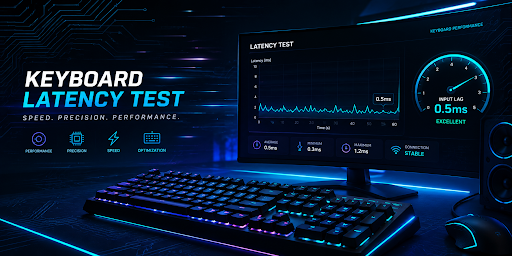
IObit’s Keyboard Latency Test is a free online tool that measures your keyboard’s input latency in real time. Simply press any key, and the tool instantly calculates:
Shortest key press duration. The minimum time your key was pressed during the session.
Estimated scan rate. Your keyboard’s approximate scan rate, calculated from the shortest key press.
Key press history. A record of your inputs for performance tracking.
No software to install. No complicated setup. Just a clear, real-time measurement of your keyboard’s responsiveness.
Why does this matter? Because knowing your keyboard’s latency helps you diagnose performance issues. If your keyboard latency test reveals unusually high input lag, you might have a hardware problem, or you might simply need to update your drivers. Speaking of which…
The Hidden Performance Killer: Outdated Drivers
You can have the fastest keyboard in the world: 8,000Hz polling rate, 32,000Hz scan rate, the works. But if your system’s drivers are outdated, none of that matters.
Outdated drivers are one of the most common and most overlooked causes of gaming performance issues. They can cause:
Micro-stuttering. Small, frustrating freezes that break immersion.
Sudden FPS drops. Frame rates that plummet during critical moments.
Input lag. Delays between your actions and on-screen responses.
Graphical glitches. Visual artifacts that distract and annoy.
System crashes. The dreaded blue screen of death.
Microsoft itself has acknowledged the scale of this problem. In May 2026, the company launched a Driver Quality Initiative aimed at improving Windows stability by automatically identifying and removing problematic drivers. The company also admitted that faulty third-party drivers have caused Windows battery drain and performance issues for years.
Graphics drivers are particularly critical. Game-ready driver updates from NVIDIA, AMD, and Intel can deliver significant performance gains, sometimes up to 13% FPS improvements in the latest titles. These updates optimize your system for new releases, fix bugs, and enhance visual quality. As one report noted, outdated drivers are “one of the most critical and easiest gaming PC performance issues to fix”.
The Driver Solution: Update Drivers Automatically
Manually updating drivers is a hassle. You have to identify which drivers are outdated, visit multiple manufacturer websites, download the correct versions, and install them one by one. Miss one step, and you could end up with compatibility issues or system instability.
That is why using a dedicated tool to update drivers is the smart choice for any gamer.
IObit’s Driver Booster automates the entire process. With one click, it scans your system, identifies outdated, missing, or faulty drivers, and installs the latest manufacturer-certified versions. Its database covers over 1,200 major brands, including Intel, AMD, and NVIDIA. Every driver is verified through Microsoft WHQL and an IObit security scan.
For gamers, Driver Booster offers several key advantages:
Game-Ready Driver Updates. It detects and installs the latest gaming drivers for NVIDIA GeForce and AMD Radeon graphics cards, ensuring you have the optimizations needed for the latest titles.
Game Boost Mode. This feature fine-tunes your system for up to 5% better gaming performance, reducing lag and delivering smoother gameplay.
Safety First. Before installing any driver, Driver Booster creates a system restore point. If something goes wrong, you can roll back instantly.
Expanded Device Support. Driver Booster 13 introduced breakthrough support for Windows 10/11 ARM64 devices, covering more than 100,000 ARM drivers.
Beyond gaming, Driver Booster also fixes common driver-related issues: no sound on your computer, no internet connection, blue screen errors, printer offline problems, and USB devices not recognized. It is a comprehensive solution for keeping your entire system running smoothly.
The Perfect Combination: Test, Then Update
Here is the smart approach for any gamer who wants to eliminate input lag and maximize performance:
Step One. Take the keyboard latency test to understand your current keyboard performance. Measure your key press duration and estimated scan rate. Use it as a baseline to track improvements over time.
Step Two. Use Driver Booster to update drivers across your entire system, especially graphics, chipset, and USB drivers that directly affect input processing.
Step Three. Test again. You will likely see measurable improvements in your keyboard latency test results, along with smoother gameplay, fewer stutters, and more responsive controls.
Together, these two tools address both sides of the input lag equation. One measures your keyboard’s performance. The other ensures your system is optimized to receive and process inputs as quickly as possible.
The Bottom Line
Your gaming performance is not just about skill. It is about the technology between you and the game. Every millisecond of input lag puts you at a disadvantage. Every outdated driver introduces another point of failure.
IObit’s Keyboard Latency Test and Driver Booster are free, easy to use, and designed to help you eliminate the invisible delays that hold you back. Test your keyboard. Update your drivers. And experience the difference when every keystroke translates into instant, responsive action.
Give yourself the competitive edge you deserve. You will notice the difference from the very first click.