


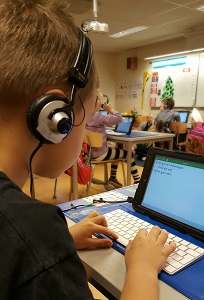
In recent years, the educational landscape has been transformed by rapid technological advancements, significantly impacting how students engage with learning materials. One of the most notable changes is the increasing necessity of tablets for online learning. The adoption of tablets has been driven largely by their portability, user-friendly interfaces, and the vast selection of educational apps that enhance the learning experience.
Tablets are typically lighter and more compact compared to traditional laptops or desktops, making them ideal for students who need to transport their devices between classes or study locations. Their slim form factor allows students to easily slip them into a backpack, providing convenience that larger computers cannot match. Furthermore, tablets often have longer battery lives, reducing the need for constant charging and enabling students to participate in virtual classes without interruption.
The ease of use that tablets offer is another significant advantage. Many students find touch screens more intuitive, allowing for more straightforward navigation through apps and online resources. This user-friendly design encourages engagement and enhances the learning process. Moreover, a plethora of educational applications tailored for tablets can assist students with everything from note-taking to collaborative projects, creating an interactive and stimulating learning environment.
Access to reliable technology is paramount for seamless participation in virtual classrooms and online assignments. Tablets provide students with consistent access to necessary online resources and platforms, ensuring they remain connected to their teachers and peers. As education increasingly moves online, having a capable and trustworthy device like a tablet helps students stay organized and engaged. In conclusion, tablets have become essential tools for students participating in online learning, offering unique advantages that facilitate active learning and academic success.
Key Features to Look for in Budget Tablets for Students
When selecting a budget tablet for online learning, students should carefully evaluate several key features to ensure they choose a device that meets their educational needs effectively. One of the primary considerations is battery life. A tablet with extended battery life allows students to engage in extended study sessions without the interruption of frequent charging. This is particularly important for learners who attend online classes throughout the day or spend time researching and completing assignments.
Another crucial factor is screen size. A larger screen can enhance the learning experience by making it easier to view text, images, and videos clearly. Typically, screens measuring between 10 to 12 inches strike a balance between portability and usability, thus catering to students’ diverse learning requirements. Furthermore, the operating system plays a vital role in determining app availability and compatibility; popular options include Android and iOS, each offering unique features and user experiences.
Equally important is the processing power of the tablet. A device with a capable processor ensures a smooth multitasking experience, enabling students to run educational apps, browse the internet, and participate in virtual classrooms without lag. Additionally, generous storage capacity is essential for students who need to store numerous files, applications, and multimedia content. Cloud storage solutions can supplement the tablet’s internal memory, but adequate onboard space is still necessary for optimal performance.
Moreover, features such as stylus support can significantly enhance productivity, particularly for subjects that require note-taking or drawing. The quality of the tablet’s camera is also worth considering; a high-resolution camera can facilitate clear video calls and capture quality images of documents or notes, aiding students in their studies. By focusing on these essential features, students can select a budget tablet that not only supports their online learning journey but contributes positively to their overall academic success.
Top 5 Budget Tablets for Students: Reviews and Comparisons
In the current educational landscape, having access to a reliable tablet can significantly enhance a student’s learning experience. Here we present five budget-friendly tablets that are ideal for students, based on their specifications, strengths, weaknesses, and overall performance in educational settings.
1. Amazon Fire HD 10
The Amazon Fire HD 10 is an affordable tablet designed for both entertainment and educational purposes. It features a 10.1-inch Full HD display, 3GB RAM, and up to 64GB internal storage, which is expandable via a microSD card. Its strength lies in the seamless integration with Amazon’s ecosystem, providing easy access to educational apps. However, limited access to Google Play may restrict app availability.
2. Lenovo Tab M10 Plus
Lenovo’s Tab M10 Plus stirs attention with its 10.3-inch display and dual speakers, providing a good multimedia experience. With its MediaTek Helio P22 processor and 2GB or 4GB RAM options, it handles basic tasks efficiently. Its drawback may include limited battery life during intensive use, making it less suitable for prolonged periods of study.
3. Samsung Galaxy Tab A7 Lite
The Galaxy Tab A7 Lite boasts an 8.7-inch display and a powerful battery lasting up to 13 hours, perfect for schoolwork and recreational use. Its Audio and Video capabilities are commendable, allowing students to enjoy rich media content. Yet, its performance may lag under heavier loads, such as multitasking with demanding applications.
4. Huawei MatePad T 10s
Known for its solid build, the Huawei MatePad T 10s offers a 10.1-inch display and powerful sound attributes. Its Kirin 710A processor and up to 64GB storage augment productivity, particularly when using educational software. The downside is its lack of Google services, which may limit functionality for some students.
5. Microsoft Surface Go 2
Though slightly higher on the budget spectrum, the Surface Go 2 is a standout option. It features Windows 10, enabling compatibility with various educational software. With a 10.5-inch touchscreen and optional keyboard, it is versatile for both study and typing tasks. However, its price might exceed the typical student budget.
By comparing these budget tablets, students can better determine which device aligns with their specific needs for online learning. Each tablet offers distinct advantages and limitations, making it essential to assess factors such as performance, battery life, and software compatibility before making a decision.
Tips for Maximizing Learning Experience with Your Tablet
In today’s world, leveraging technology for effective learning is essential, especially for students utilizing budget tablets for online educational pursuits. Maximizing the learning experience with your tablet involves a combination of using the right apps, ensuring optimal performance, and integrating useful accessories.
Firstly, consider downloading apps that enhance productivity and organization. Applications such as Microsoft OneNote or Evernote are excellent for note-taking and organizing study materials. They allow students to integrate text, images, and voice recordings, fostering an interactive learning experience. For task management, tools like Todoist or Trello can help keep coursework on track. These platforms enable you to prioritize tasks and manage deadlines efficiently.
Collaboration is also crucial in today’s educational environment. Zoom or Microsoft Teams serve as effective communication tools, allowing students to attend virtual classes and engage in group projects. Many budget tablets support these applications seamlessly, ensuring that students can connect effectively with their peers and educators.
Maintaining the performance and battery life of your budget tablet is crucial for ensuring uninterrupted learning sessions. Regularly clearing unnecessary apps running in the background can enhance speed and responsiveness. Additionally, managing display brightness and using battery saver modes can extend usage time significantly, allowing for longer study sessions without the need for frequent recharging.
Investing in a few essential accessories can further enrich the tablet experience. A Bluetooth keyboard can greatly improve typing efficiency, especially during note-taking or when completing assignments. Similarly, a high-quality protective case can safeguard the tablet from damage, ensuring it remains a reliable study tool throughout its use. By implementing these tips, students can optimize their budget tablets, resulting in a more productive and enjoyable online learning experience.