


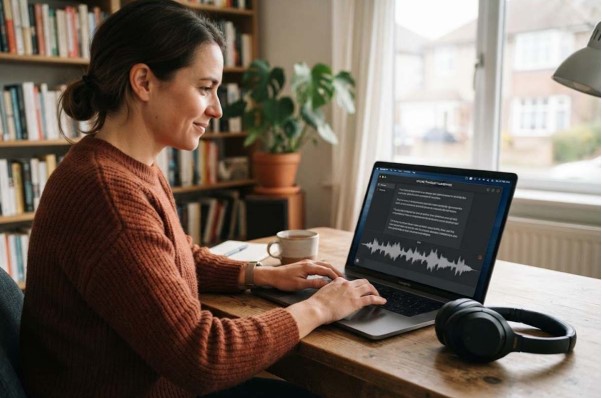
Audio and video files contain valuable information, from meetings and interviews to lectures, podcasts, and personal recordings. Turning these files into written text can make information easier to search, edit, organize, and reuse. However, many transcription services require users to upload their recordings to online servers, which may not be suitable when files contain confidential, private, or sensitive information.
SpeechPulse provides an alternative by allowing users to process recordings locally. This approach makes offline audio transcription useful for people who want to turn speech into text while keeping their media files on their own computer. Instead of depending entirely on an online platform, users can work with locally stored recordings and create text from their spoken content through an offline workflow.
What Is Offline Transcription?
Offline transcription is the process of converting spoken words from an audio or video recording into written text without sending the recording to an online transcription platform. The necessary speech-recognition processing takes place on the user’s own device. Once the required software and models are available locally, the files can be processed without continuously uploading their contents to the cloud.
This method is particularly useful for people who work with confidential recordings or have unreliable internet access. Since the original media can remain on the computer, users have more direct control over where their recordings are stored and processed. Offline transcription can also provide a practical way to work with files when privacy and local data handling are important considerations.
Working With Different Media
One advantage of local transcription is its ability to work with different types of recorded content. Whether the source is an audio recording or a video containing spoken dialogue, the goal is the same: identify the speech and turn it into readable text.
Transcription software can be useful for a variety of media because users may encounter recordings in different formats and situations. Common examples include:
- Audio recordings: Voice notes, interviews, meetings, and recorded discussions can be converted into text.
- Video files: Lectures, presentations, demonstrations, and other videos can provide a speech track for transcription.
- Recorded conversations: Discussions can be turned into searchable text for easier reference.
- Long-form recordings: Extended sessions can be processed without manually typing every spoken sentence.
The resulting transcript can make lengthy recordings easier to review. Instead of repeatedly searching through an audio or video timeline, users can work with the written version and locate important information more efficiently.
Why Transcribe Files Locally?
Privacy is one of the strongest reasons to consider local transcription. Uploading a recording to a third-party service means the file has to leave the user’s device. For recordings containing private conversations, internal business information, research material, or unpublished content, keeping the original media locally can provide an additional layer of control.
Offline processing can also be helpful when internet access is limited. A user working while traveling, in a location with poor connectivity, or on a private network may not want to depend on uploading large files. Local transcription reduces the need to transfer those files over the internet and can make the overall workflow more independent.
Another benefit is convenience. Large recordings can take time to upload, especially when connection speeds are slow. With local processing, the user can work directly with files already stored on the computer. The exact transcription speed and performance will depend on the computer’s hardware, the recording, and the software configuration.
Common Uses of Offline Transcription
Offline transcription can fit into many personal, educational, and professional workflows. Instead of treating transcription as a specialized task, users can incorporate it into everyday work whenever spoken information needs to become written information.
Some common applications include:
- Meetings: Create written records that can be reviewed after discussions.
- Interviews: Convert recorded conversations into text for analysis, editing, or documentation.
- Lectures: Turn educational recordings into study material and searchable notes.
- Podcasts: Create working transcripts for editing, content planning, or accessibility.
- Research: Process recorded interviews and discussions without sending files to an external server.
- Personal recordings: Convert voice notes and other recordings into organized written information.
These uses demonstrate why transcription is more than simply converting speech into words. A transcript can become a foundation for summaries, notes, articles, captions, research documents, and other forms of content. Keeping the process local can make that workflow more appealing when privacy or connectivity is a concern.
How SpeechPulse Turns Without Uploading Them?
SpeechPulse focuses on processing recordings directly on the user’s computer instead of sending them to a remote transcription platform. For anyone exploring How to Convert Audio to Text Offline, the software provides a local approach by using speech-recognition technology to analyze spoken content and transform it into written text. This allows users to work with their recordings while keeping the transcription process centered on their own device.
1. Local Processing
The first important part of the workflow is keeping the media file on the local device. The user selects the audio or video recording that needs to be transcribed, allowing the application to work with the existing file instead of first transferring it to an online platform.
The speech-recognition system then analyzes the spoken audio contained in the recording. For a video file, the relevant spoken audio can be processed as the source of the transcript. The system identifies words and phrases and converts them into a text representation.
2. Speech Recognition
Speech recognition is the technology that allows software to interpret human speech. It examines the audio signal and uses a speech-recognition model to determine what was said. Modern systems can handle natural speech much more effectively than traditional voice-to-text approaches, although accuracy can still vary depending on recording quality, accents, background noise, overlapping speakers, and other factors.
With local processing, the recognition work happens on the user’s computer rather than requiring the complete recording to be sent to an online service. This distinction is important for users who want a transcription workflow centered around local file handling.
3. From Recording to Text
Once the speech has been analyzed, the recognized words can be presented as a transcript. The user can then work with the text instead of repeatedly listening to the original recording. Depending on the workflow and available features, the transcript may be used for editing, reviewing, searching, summarizing, or preparing other content.
The overall process is straightforward: choose the media, allow the software to process the spoken content locally, and work with the resulting text. This makes SpeechPulse particularly interesting for people who want transcription without making file uploads a necessary part of their workflow.
Conclusion
Offline transcription provides an alternative to cloud-based approaches by allowing audio and video recordings to be processed directly on a local computer. This can be valuable for users who care about privacy, work with confidential material, have limited connectivity, or simply prefer keeping their files under their own control.
SpeechPulse brings this concept into a practical workflow by turning recorded speech into text without requiring the original media to be uploaded to a remote transcription service. From meetings and interviews to lectures, podcasts, and personal recordings, local transcription can make spoken information easier to access and reuse while keeping the processing closer to the user’s own device.