


Password recovery helps users regain access to an account when they cannot remember or retrieve their login credentials, while a password reset allows them to create a new password after verifying their identity. Understanding the difference helps you choose the right solution and protect your account from unauthorized access.
Losing access to an email account or forgetting a password can interrupt important personal and business activities. Whether you cannot sign in to Gmail, Outlook, or another email platform, knowing when to use password recovery or password reset can save time and prevent data loss.
In this guide, Call Louder explains the key differences, common situations, recovery methods, and when professional assistance may be helpful.
1. What Is Password Recovery?
Password recovery is the process of regaining access to an account when you have forgotten your password or cannot retrieve your login credentials.
Depending on the platform, recovery may involve:
- Verifying your identity through a recovery email.
- Receiving a verification code on your registered phone number.
- Answering account security questions.
- Using backup codes or trusted devices.
- Following the platform’s account recovery process.
A professional password recovery service can help troubleshoot account access problems and guide users through legitimate recovery options.
2. What Is a Password Reset?
A password reset means replacing an existing password with a new one. It is generally used when you remember your account details but want to change your password or when you have already verified your identity through the platform.
For example, if you suspect someone knows your Gmail password, you can reset it to protect your account.
Common reasons to reset a password include:
- Suspected unauthorized access.
- Forgotten login credentials.
- Expired passwords.
- Security recommendations from an email provider.
- Reusing an old or weak password.
A password reset usually creates a new password rather than retrieving the previous one.
3. Password Recovery vs. Password Reset: Key Differences
Although both processes help users regain account access, they serve different purposes.
| Comparison | Password Recovery | Password Reset |
| Main purpose | Regain account access | Create a new password |
| When needed | Forgotten or inaccessible credentials | Forgotten, weak, or compromised password |
| Verification | May require identity verification | Usually requires identity verification |
| Old password | Cannot normally be retrieved | Replaced with a new password |
| Process | Recovery options and account verification | Reset link or verification code |
| Security | Confirms account ownership | Helps secure account access |
Important: Most modern email providers do not reveal your original password. They allow you to verify your identity and create a new one.
4. When Should You Use Password Recovery?
Password recovery is useful when you cannot access your account through normal login methods.
Here are some common situations:
- Forgotten password: You cannot remember your email or account password.
- Lost recovery phone: You no longer have access to your registered phone number.
- Inaccessible recovery email: Your backup email account is unavailable.
- Account locked: Multiple unsuccessful login attempts have restricted access.
- Lost email access: You cannot open important emails because your account is inaccessible.
If you are facing these problems, email recovery support can help identify the issue and guide you through the appropriate recovery process.
5. When Should You Reset Your Password?
A password reset is recommended when you want to replace an existing password for security or account management reasons.
Consider resetting your password if:
- You receive an unexpected login notification.
- You suspect your account has been compromised.
- Your password is weak or easy to guess.
- You have shared your password with someone and want to revoke access.
- You use the same password across multiple websites.
After resetting your password, review your account security settings and enable two-factor authentication (2FA).
6. How to Recover or Reset Your Email Password
The exact steps depend on your email provider. Here are general instructions for popular email platforms.
Gmail Password Recovery
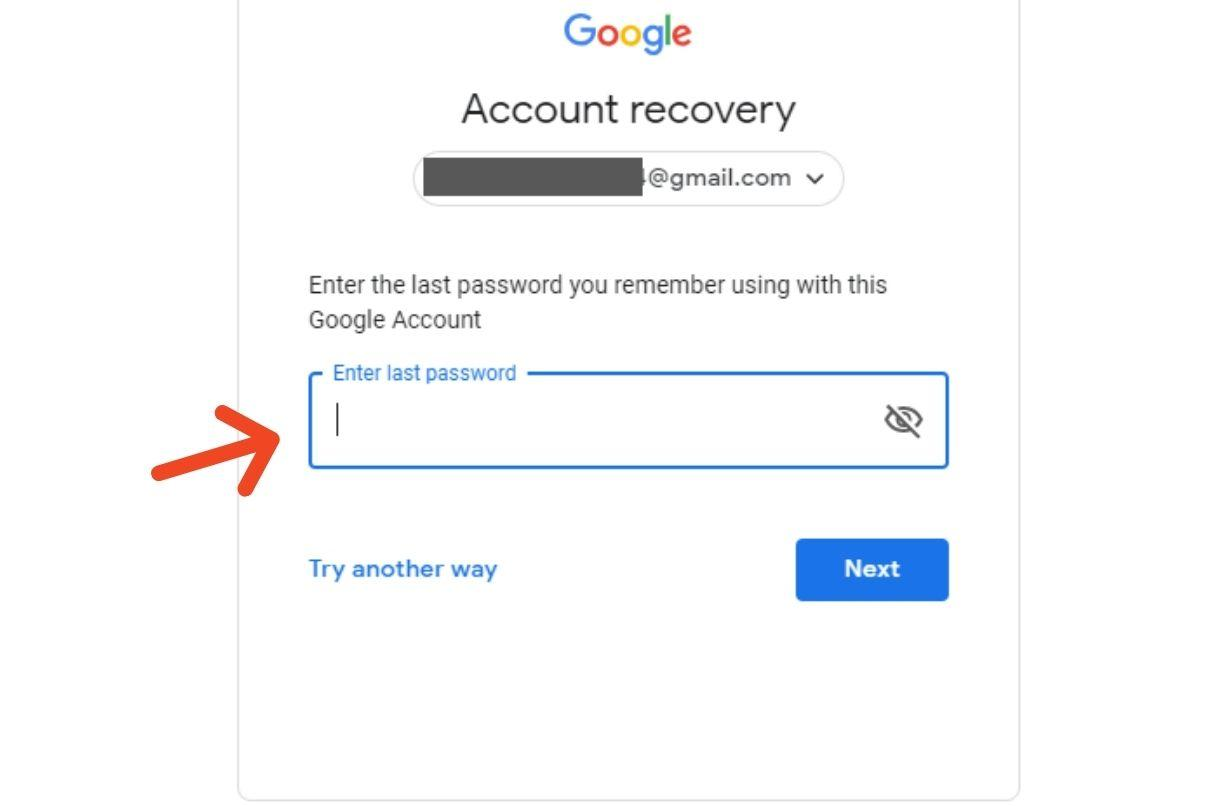
- Visit the official Google Account recovery page.
- Enter your Gmail address.
- Follow the identity verification instructions.
- Use your recovery phone or email if available.
- Create a new password when prompted.
Outlook Password Recovery
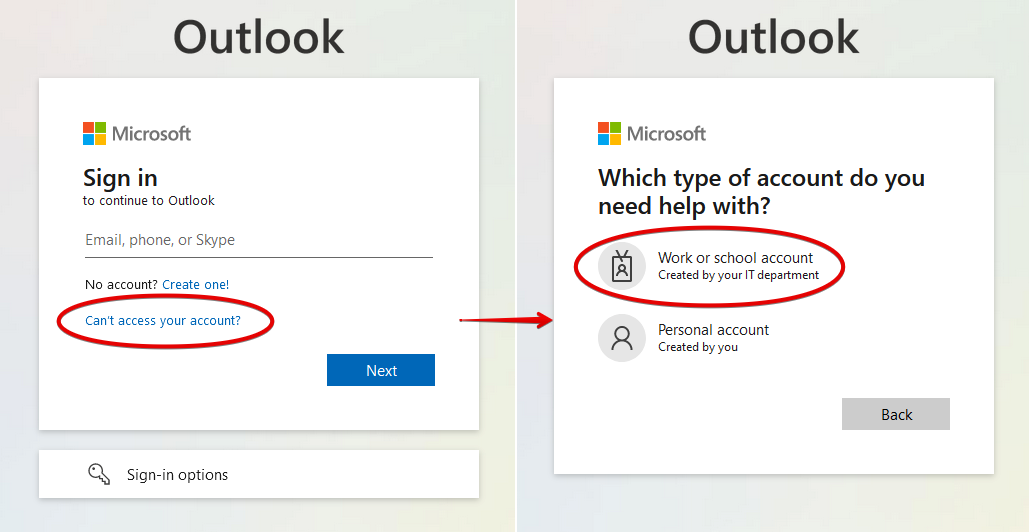
- Visit Microsoft’s official password reset page.
- Enter your Outlook email address.
- Select the verification method.
- Enter the security code.
- Create and confirm a new password.
Yahoo Mail Password Recovery
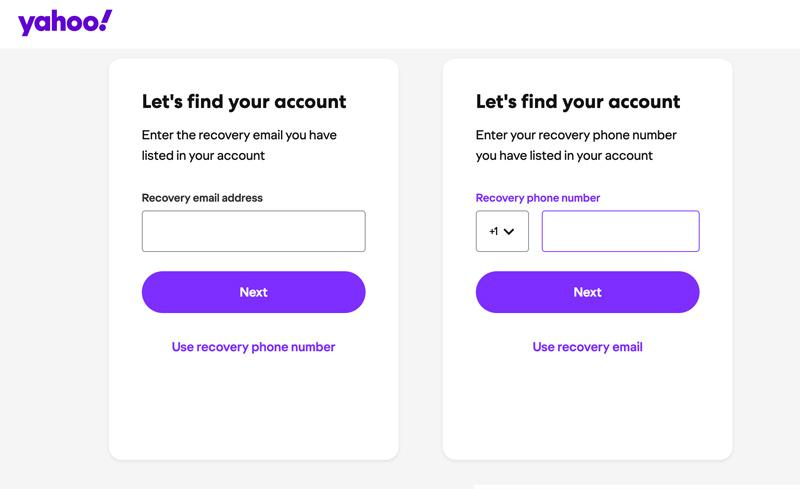
- Open Yahoo’s Sign-in Helper.
- Enter your Yahoo email address.
- Select your available recovery option.
- Complete the verification process.
- Follow the instructions to regain account access.
Always use the official recovery website of your email provider. Never share verification codes or passwords with unknown individuals.
7. Common Email and Password Problems That Require Assistance
Sometimes, recovering an email account involves more than simply changing a password.
| Common Problem | Possible Solution |
| Forgotten email password | Use the official account recovery process |
| Account temporarily locked | Follow the provider’s account verification steps |
| Recovery phone unavailable | Try another supported verification method |
| Missing emails | Check folders, filters, and account settings |
| Suspicious login activity | Reset password and review active sessions |
| Email configuration issues | Check incoming and outgoing server settings |
If you have lost important messages, a lost email recovery process may also involve checking archived messages, deleted folders, email filters, and synchronization settings.
8. How Call Louder Can Help With Email and Password Issues
Call Louder provides remote technical support to help users troubleshoot common email and account access problems.
Whether you are experiencing login errors, email configuration issues, or account recovery difficulties, technical guidance can help you identify the cause.
Support may include:
- Email login troubleshooting.
- Guidance with legitimate account recovery procedures.
- Email application configuration.
- Troubleshooting email synchronization issues.
- Assistance with account security settings.
- Help with email clients and connected devices.
If you need an email recovery service, Call Louder can help troubleshoot email access and configuration issues through remote technical support.
You can also explore the email setup service for assistance with configuring email accounts and resolving setup-related problems.
9. Tips to Prevent Future Password and Email Access Problems
Preventing account access issues is easier than recovering a locked account.
Follow these practical security tips:
- Use a unique and strong password for every account.
- Enable two-factor authentication.
- Keep your recovery phone number updated.
- Add a secondary recovery email address.
- Store backup codes in a secure location.
- Avoid clicking suspicious password reset links.
- Use a trusted password manager.
- Review recent account login activity regularly.
These practices can reduce the risk of unauthorized access and make future account recovery easier.
10. Frequently Asked Questions (FAQs)
- Is password recovery the same as password reset?
No. Password recovery helps you regain access to an account when you cannot sign in. Password reset allows you to replace an existing password with a new one after identity verification.
- Can I recover my old email password?
Most email providers do not display or reveal your original password. Instead, they allow you to verify your identity and create a new password.
- What should I do if I lose access to my recovery email?
Try another available verification option, such as your registered phone number, a trusted device, or the provider’s official account recovery process.
- Can a professional password recovery service unlock my email account?
A professional support provider can help troubleshoot login errors, explain official recovery procedures, and identify configuration problems. However, account access ultimately depends on the email provider’s verification requirements.
- How can I protect my email account after recovering it?
Create a strong, unique password, enable two-factor authentication, review active sessions, and update your recovery information.
- Can deleted emails be recovered after a password reset?
A password reset does not normally delete emails. If messages are missing, check the Trash, Archive, Spam, and other folders, along with your email provider’s recovery options.
Conclusion
Password recovery and password reset are two different processes, but both help users maintain access to their online accounts. Recovery focuses on regaining access, while resetting focuses on replacing an existing password with a new one.
Understanding when to use each method can help prevent unnecessary account disruptions and improve email security.
If you are experiencing login problems, email configuration errors, or account access difficulties, Call Louder can help you troubleshoot the issue with remote technical support.